



Sorftime 知识库
Sorftime-MCP-Codex桌面版
前置条件
- 已开通 Sorftime MCP 服务(前往 Sorftime MCP服务 获取 Account-SK)
- Codex桌面版安装完成,Codex下载地址:https://chatgpt.com/codex/
入口
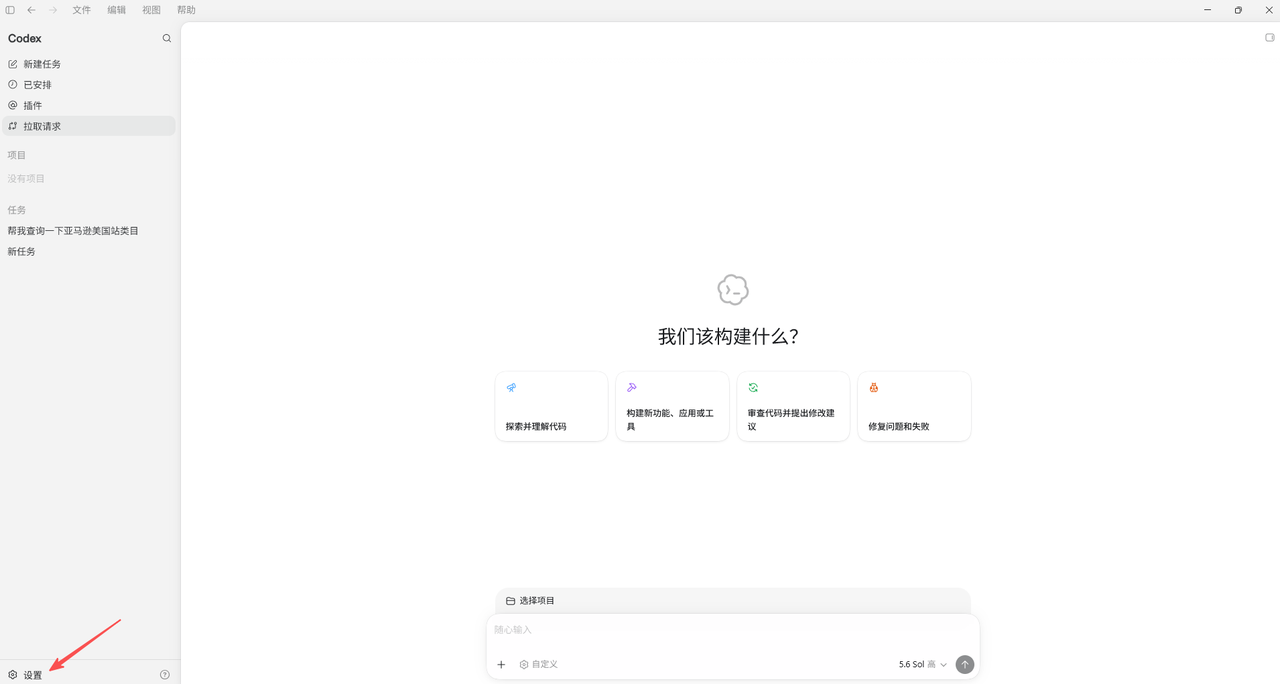
点击“设置”
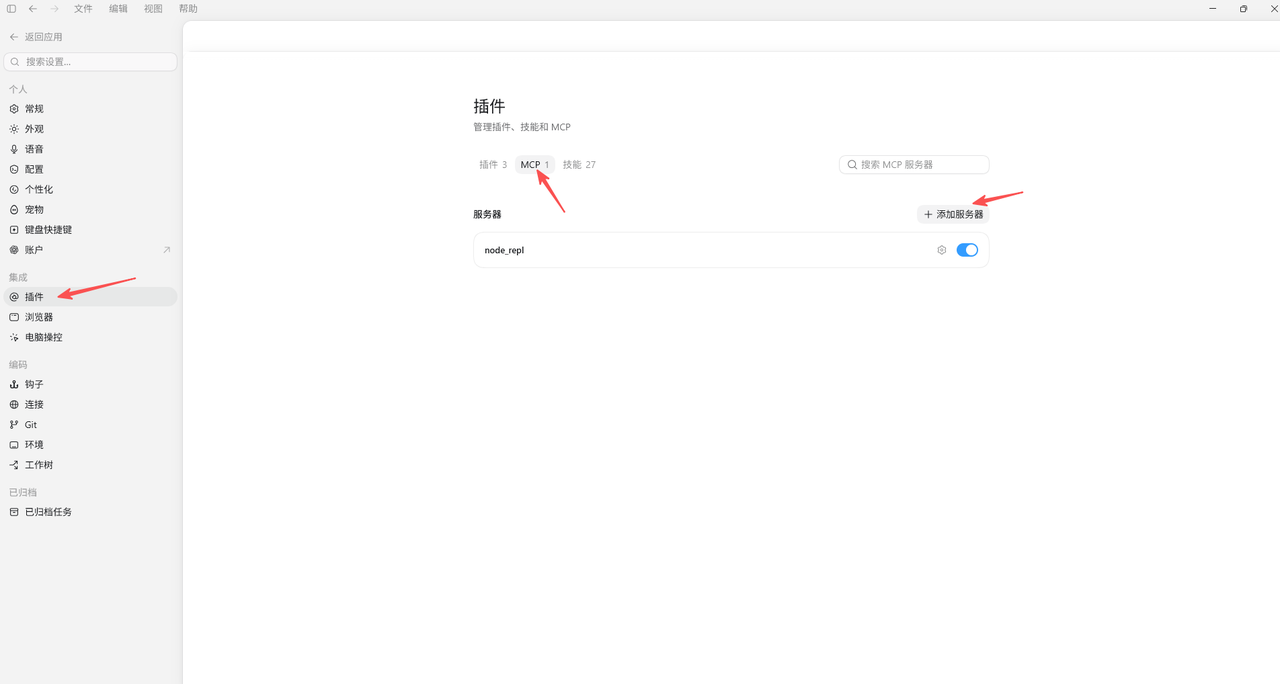
选择“插件=>MCP=>添加服务器”
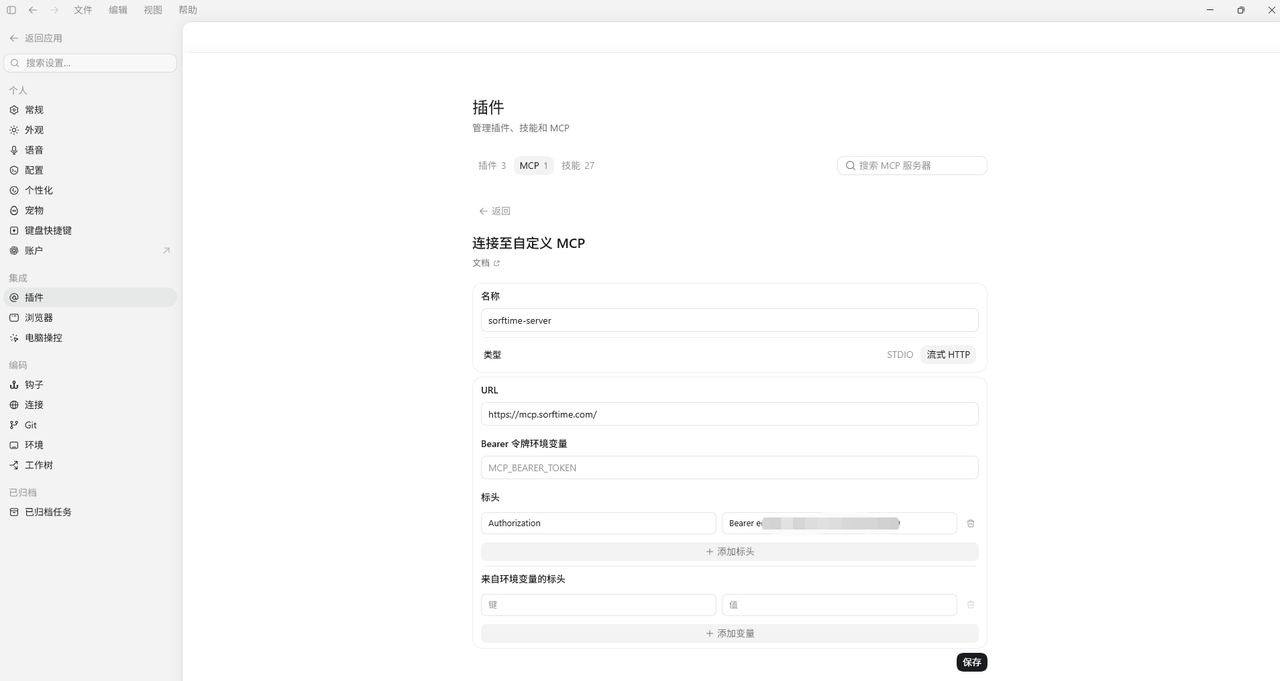
填写MCP服务信息并保存
| Name | sorftime-server,选择Streamable HTTP |
| Url | https://mcp.sorftime.com/ |
| Headers | Authorization, Bearer |
测试
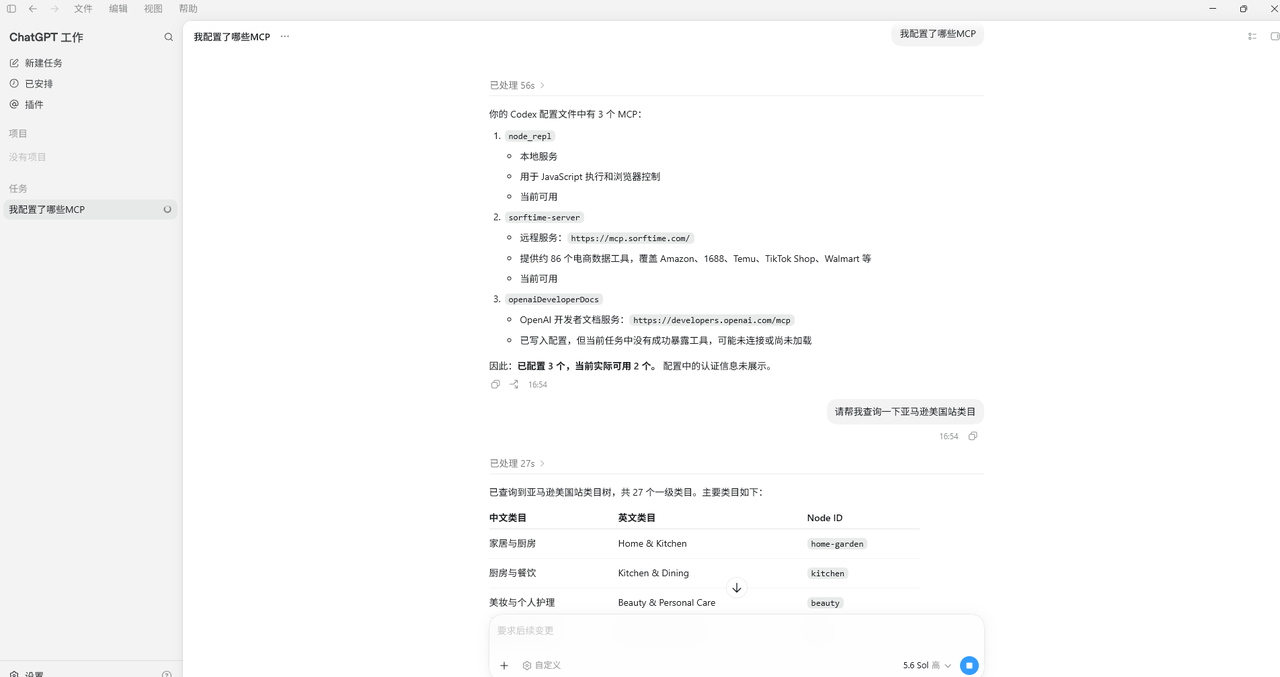
进入到对话页面:输入“请帮我查询一下亚马逊美国站类目”